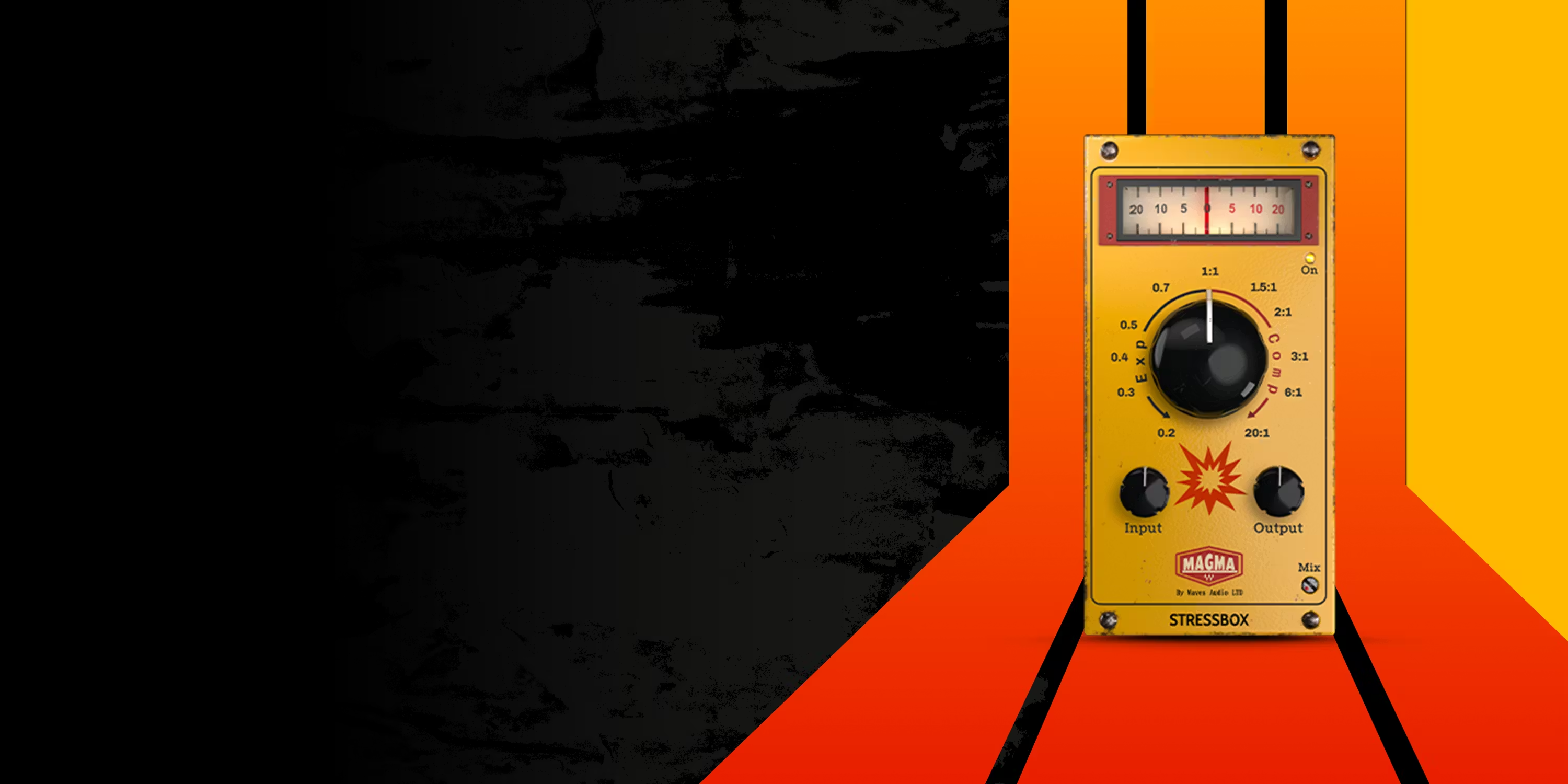
Waves releases Magma StressBox dynamics plugin
Some mixes simply feel flat. The drums are there, but with no impact; the bass rumbles without making an impression; transitions lack the added tension that makes a track exciting. Waves’ new Magma StressBox aims to fix this.
Originally introduced as a limited freebie around Black Friday (now over), StressBox promises punch, pressure, control and excitement, all from a single knob.
Let’s jump into what Magma StressBox does, why it’s different and how to squeeze the most out of it.
What is Magma StressBox?
StressBox is both a compressor and expander plugin working as a continuously variable processor:
- Turn the single knob left, and the plugin acts as a downward expander.
- Turn it right, and it morphs into a compressor.
This means you can tighten transients, shorten tails, add pressure, increase energy, or create incredible movement by simply turning one knob. The rest of the UI is relatively minimal:input, output, auto-gain, and blend knob for parallel use.
This simplistic design makes StressBox less about dialling in parameters, but dialling in emotion by removing choices.
Dynamics as a Creative Tool
StressBox isn’t just a tool for loudness or control – it’s also a way to shape the emotional contour of a track. It lets you exaggerate contrast, generate tension, or add weight in ways that can transform an arrangement.
Where a traditional compressor requires careful adjustment of attack, release, ratio and threshold values, StressBox offers immediate, intuitive feedback: turn one knob and listen to your mix “tighten” or “inflate” in real time.
Use Cases
1. Drums & Percussion
This feels like the plugins natural home. Expansion will make drums become crisp, snappy, and less washy. Compression, kicks gain punch, rooms bloom, loops thicken.
2. Bass & Low-End
Compression adds weight and authority, while expansion can tame slow, boomy tails.
3. Guitars, Pads & Synths
Expansion tightens reverb or delay-heavy parts, helping them sit in dense mixes. Compression can push pads and synths forward, giving them momentary dominance in a section.
4. Mix Bus & Transitions
Automating the main knob is particularly powerful a rising compression curve into a drop can create genuine tension.
Strengths & Limitations
| Strengths | Limitations |
| Fast results — useful for producers who want to stay in their creative flow. | Not surgical — no detailed attack/release control means it’s not ideal for precision compression. |
| Adds character — not a clean/transparent tool; it imparts vibe. | Easy to overdo — especially on the compression side; subtlety is key. |
| Versatile — works on individual tracks, buses, and even the mix bus. | Not always the best choice for vocals or careful mastering — its bold character can be too blunt for nuanced signals. |
| Inspiring — encourages experimentation and automation. |
Tips for Getting the Best Results
- Always use the Mix knob – It’s easy to make this plugin sound too aggressive. Blending it back restores natural feel without losing the character.
- Automate the main knob – Automate for dynamic contrast between sections.
- Pair it with clean EQ – A simple high-shelf trim or low-mid cut can keep things from becoming muddy or harsh.
- Try it on buses before individual tracks – For more musical, glued-together results.
Pricing & availability
Waves Magma StressBox was offered for free as a limited-time Black Friday/Cyber Weekend deal. After the promo period ended, its regular price is listed as US$79.00. There is currently some money off, by this changes regularly over the the Waves website.