THE GRANULATOR: Sound Design Made Easy
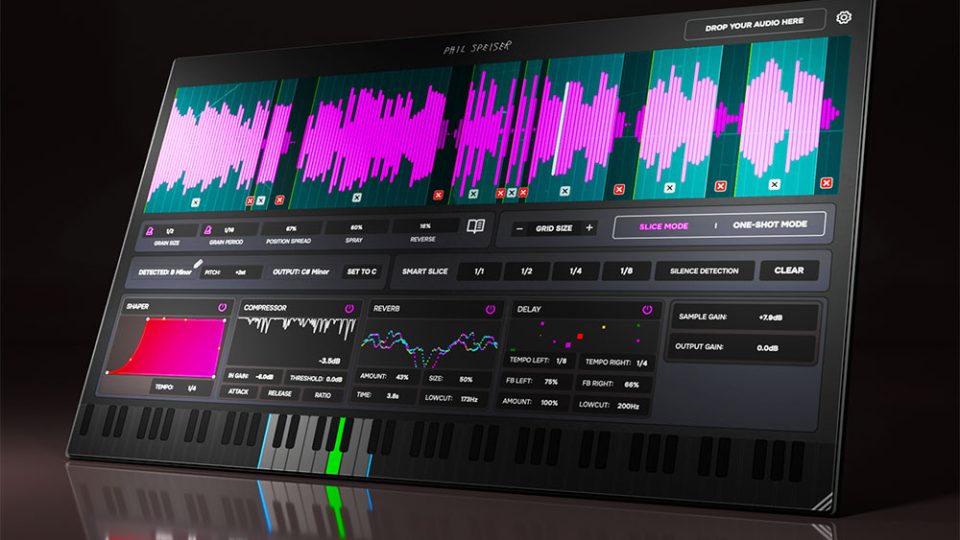
Looking to transform samples into something entirely new? The Granulator plugin from Phil Speiser makes it easy to turn any sound into a playable instrument, unlocking endless creative possibilities. Whether you’re seeking fresh inspiration or looking for truly unique textures, this intuitive tool provides limitless variations at your fingertips. And with an introductory price of just £14.99, it packs a huge amount of creative power into a small investment. Let’s take a look at what this innovative tool has to offer.
Granular Engine
As its name suggests, this plugin uses granular synthesis to manipulate your audio samples, wreaking havoc on your waveforms. So what is Granular synthesis? Granular synthesis is a technique that breaks audio into tiny snippets called “grains”. These grains are usually just a few milliseconds long. These grains can then be rearranged, layered, or stretched to create new textures. By manipulating these grains, i.e. changing their pitch, speed, or order, you can transform a simple sample into anything from lush evolving pads to glitchy rhythms or completely abstract soundscapes. The Granulator offers the following granular settings. The Granulator offers the following granular settings.
- Grain Size: Decides how big each little sound slice is — shorter grains sound glitchy, longer ones sound smoother.
- Grain Period: Controls how often those slices play, from spaced-out blips to dense, flowing textures.
- Position Spread: Lets the slices start at slightly different spots in your sample, adding natural variation.
- Spray: Scatters the slices around randomly for a messy, unpredictable effect.
- Reverse: Flips slices backwards for instant reversed sounds and cool, otherworldly textures.
All of these controls can be affected and adjusted in real-time, providing a highly intuitive way to shape sound. So next, let’s look at the two different modes The Granulator offers – Slice Mode and One Shot Mode
Slice Mode
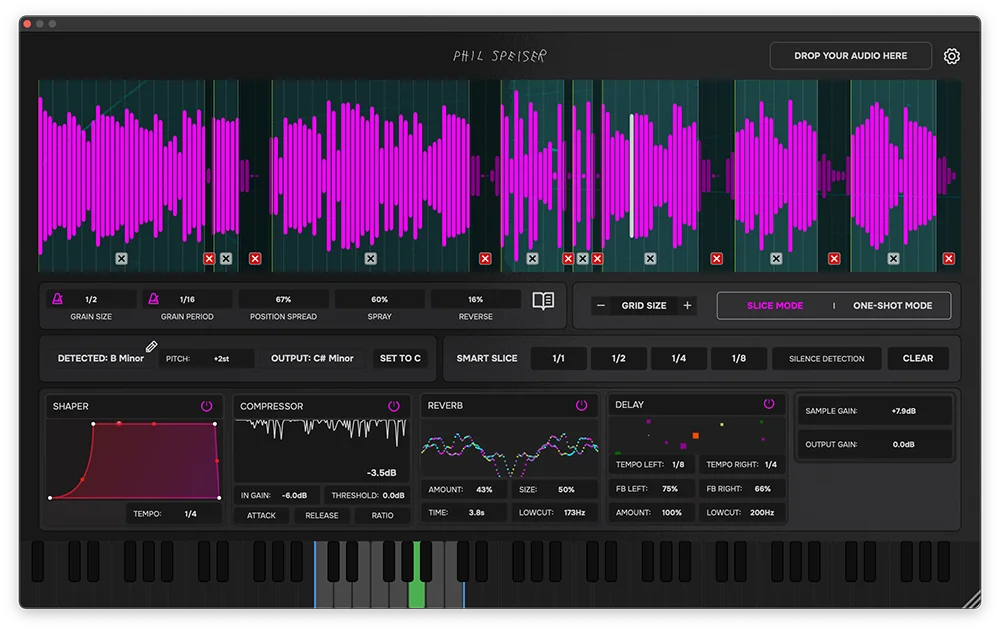
Slice Mode is perfect for working with loops, whether they’re drum grooves or melodic phrases. This mode allows you to chop your sample into sections, letting you apply granular processing to each slice and then rearrange them into entirely new patterns. Every slice can be assigned to a key or pad, so you can trigger, play, and program them however you like. To make slicing even easier, The Granulator gives you the following three ways to set your slice points.
- Manual: Use your mouse to apply slice markers by hand for full control.
- Beat: Slice your sample to using the following equal increments. 1/1, 1,2, 1,4, 1,8.
Note: for this to work effectively, the sample should sit on the grid and be trimmed perfectly to the start and end of the sample. - Silence Detection: This mode looks for the quiet parts of the sample and removes them, slicing to the loud transients. You can adjust the degree of sensitivity for more or fewer slices.
One Shot Mode
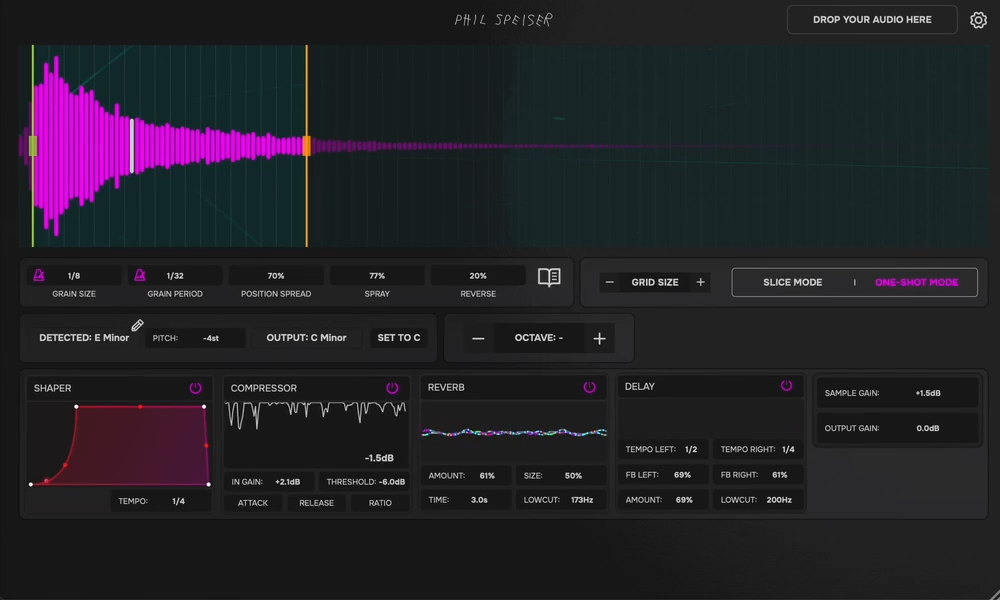
One-Shot Mode is your go-to for turning a single sound into a fully playable instrument. Just drag in any sample, and the granular engine lets you reshape it however you like, from adding a subtle glitchy edge to completely transforming it into an unrecognisable new texture. The best part? Once loaded, your sound instantly plays across your MIDI keyboard like a synth. The plugin even detects the sample’s key, so you can quickly shift pitch or octave to make it fit seamlessly into any track.
Additional Shaping and Processing
After reshaping your sounds with granular synthesis, The Granulator lets you take things even further with built-in processing effects. Start with the Shaper, which sculpts the envelope of individual grains. Try pushing it hard for that classic pumping EDM vibe. Then add Compression. Great for tightening up drum and percussion sounds and giving them extra punch. A Reverb is on hand too, with controls for size, decay, and low cut, perfect for adding space and atmosphere. Rounding it out is a Stereo Delay, letting you offset the left and right channels for wide, immersive textures and lush pads.
Endless Possibilities
Granular synthesis plugins are nothing new, but Phil Speiser’s Granulator makes the process of reshaping samples refreshingly straightforward. Instead of setting up complex plugin chains, everything you need to experiment is right here in one place. Whether you want to transform a vocal into a textured pad, reflip a loop into a fresh new idea, or simply add some subtle movement to a sound, the workflow is quick and intuitive.
And with an introductory price of just £14.99 (regularly £79.99), it should provide hours of sound design fun for very little cost. In the video below, Phil demonstrates just how versatile it can be by turning a simple loop and vocal into some serious DnB joyfulness.
The Granulator can be download here: https://www.philspeiser.com/product/the_granulator
And if you are looking for Beats or Samples for your next project then RouteNote Create has you covered. sign-up now and take your music to the next level