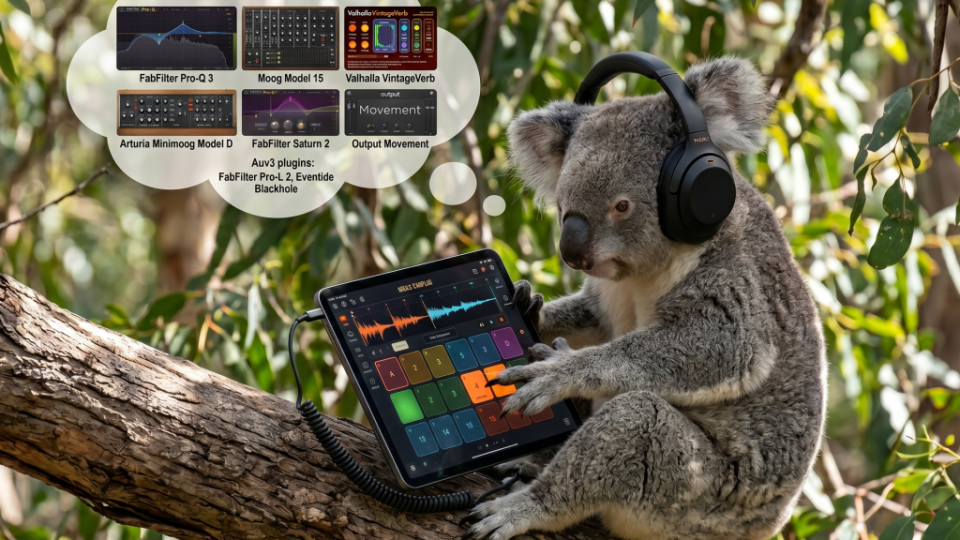
Koala Sampler update offers AUv3 support, heralding in a whole new world of plugin possibilities
Users of the popular sampling app Koala have been rejoicing after the latest update (1.4162). This update now allows those running Koala on Apple devices to load AUv3 instruments and effects directly inside the standalone app. This significantly expands Koala’s capabilities, in regards to new instrument integration and effects processing. Let’s take a quick look at what this means for Koala users.
How to upgrade
Here’s the good news. Staying true to Koala’s ethos of affordability, this functionality comes as a free update. The only requirement is that you own the Mixer add-on, which is available as an in-app purchase for just $5. Given what this update adds in the way of functionality, it’s an absolute bargain.
Unfortunately, there is some bad news for Android users. The AUv3 and AU plugin format is an Apple technology and is tightly integrated into iOS and macOS. Sadly there is currently no Android equivalent. So unfortunately, if you’re not in the orchard you wont be able to run these plugins.
Supported AUv3 plugins
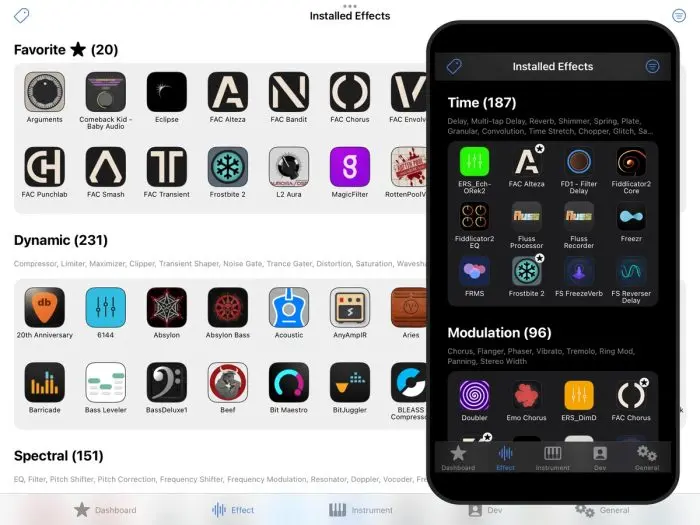
While this update represents a major leap forward in Koala’s capabilities, it’s worth noting that not every audio plugin is available in AUv3 format.
AUv3 was developed specifically for Apple’s mobile devices. Unlike desktop AU plugins, AUv3 plugins cannot simply be copied onto an iPad or iPhone. Instead, they are installed through the App Store like any other app. Once downloaded they become available to compatible hosts such as Koala.
Although many major developers support the AU format on desktop, not all have adapted their products to AUv3. You won’t find every plugin from companies such as Arturia, Native Instruments or Waves. However, there is already a substantial ecosystem of high-quality AUv3 instruments and effects available. Developers including Moog music, FabFilter, Eventide, Klevgrand, Audio Damage, BLEASS and ToneBoosters have all taken the AUv3 path. Plugins from these providers alone offer more than enough tools for professional music production.
How to use AUv3 plugins within Koala
Once you’ve downloaded a few AUv3 plugins, it’s time to put them to work.
The first thing to understand is that this new plugin functionality only works in the standalone version of Koala. After installing an AUv3-compatible app, it will become available from within Koala.
Loading AUv3 Instruments
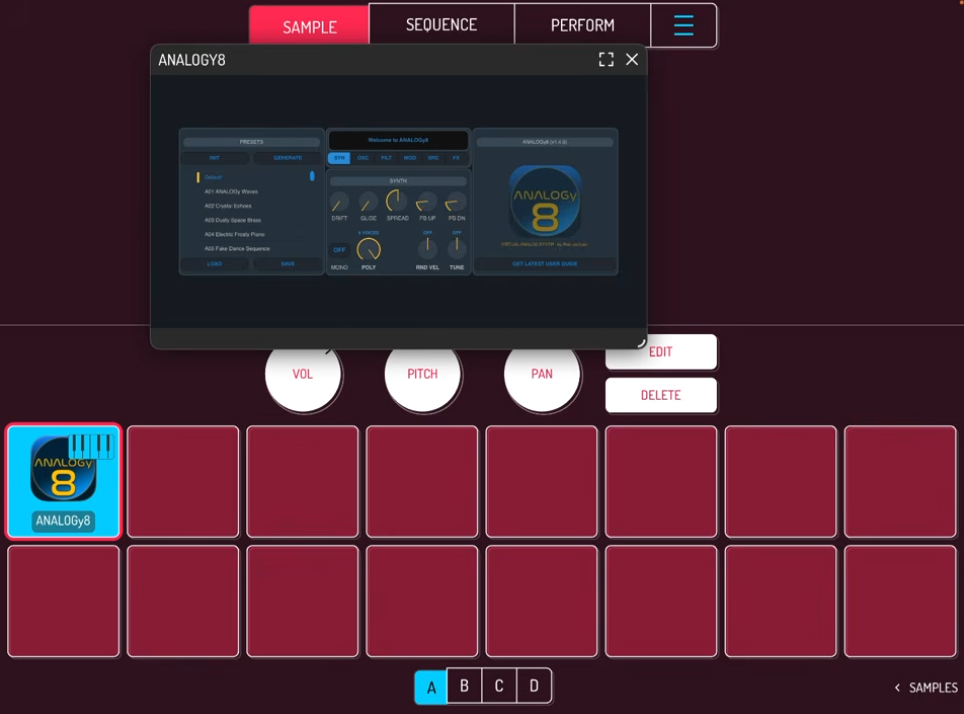
To load an AUv3 instrument, head to the Sample page and tap a pad. Press Samples, then More, and select Audio Units. You’ll be presented with a list of installed AUv3 instruments organised by developer. Choose the instrument you want and load it onto a pad.
The instrument opens in a floating window that can be resized to your liking. Once loaded, the instrument can be played directly from Koala’s pads and sequenced just like any other sound source.
Loading AUv3 Effects
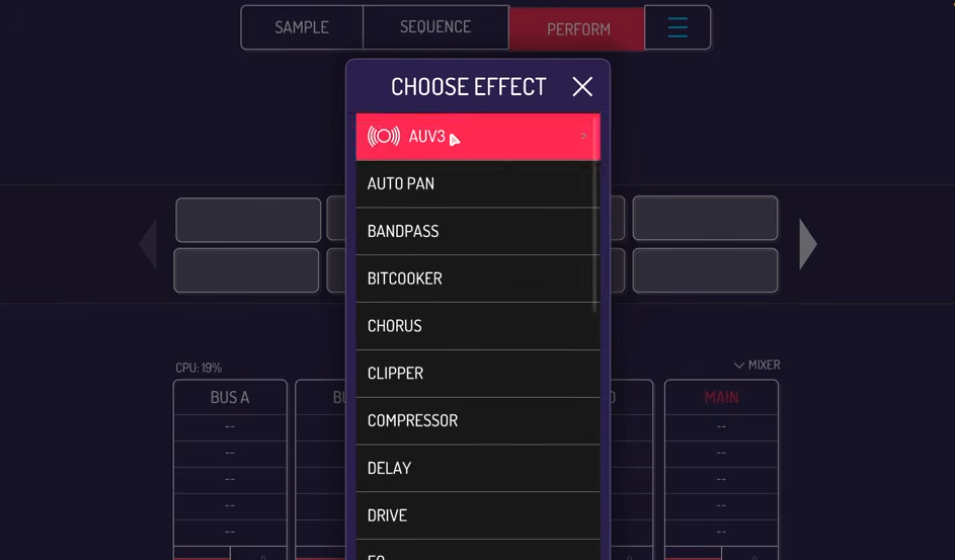
AUv3 effects are accessed through the performance page. Open this page and select one of the available effect slots on a bus or master channel. You’ll now see an AUv3 category alongside Koala’s built-in effects. Selecting this reveals all compatible AUv3 effects installed on your device.
You can now process your samples and performances in the same way you can with the inbuilt effects.
Summary
Koala Sampler was already one of the most powerful and accessible sampling apps available, drawing inevitable comparisons with hardware classics such as the Roland SP-404. And with the continued appetite for modern standalone samplers such as this years MPC Sample it’s clear there is a strong demand for fast, intuitive music-making devices that prioritise creativity over complexity.
What has always made Koala special is its low barrier to entry. For the price of a burger and fries, anyone with a phone or tablet can access a remarkably capable sampling workstation. With the addition of AUv3 hosting, the Koala Sampler now moves even closer to being a complete professional mobile production solution.
As someone who first got into music production during the 1980s, I find it mind blowing that music gear as capable as this is available today at such a low price point. For example, back in 1987, a sampler would cost thousands. The idea that a pocket-sized device could run a powerful sampler, a sequencer, professional effects and realistic instruments would have seemed like science fiction. When it comes to music technology, it truly is a great time to be alive
And another wonderful by-product of the modern music making landscape is the access to an endless sea of samples. And firmly following in the footsteps of the highly affordable Koala Sampler here at RouteNote Create we believe we offer the best value samples anywhere.
From just $3.99 you can stuff your Koala, or any sampler for that matter, with 100 killer loops or deadly one shots. Hit the link below and get your dig on.